Start with Free
See and understand the room now.
- Live RTA and spectrogram
- Temporary room-reference overlay
- Estimated sound level and maximum
- Current Coach advice
- Built-in microphone
- English, Swedish and an example soundcheck
Soundcheck guidance & journal · iPhone & iPad
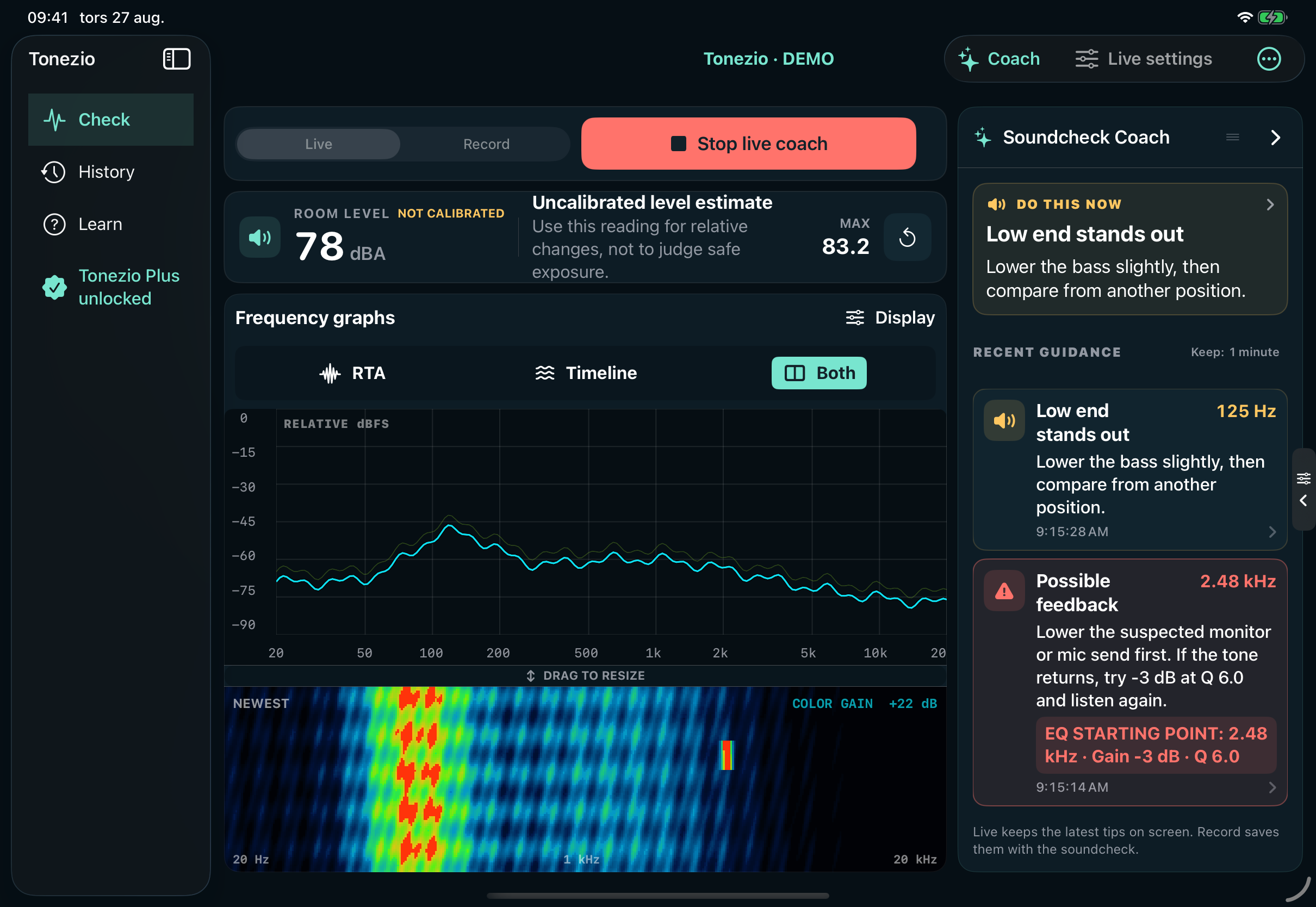
Keep the room in view and the next check close at hand. Tonezio puts live frequency graphs beside readable Coach advice. Capture a room reference, save each pass and start your next soundcheck where the last one ended.
Records measurement data, not microphone audio. A soundcheck aid, not a certified sound-level meter.
See exactly what it does
Choose a tab to see the actual interface, what the feature does and what is included. The new Room Reference view is shown with illustrative example data.
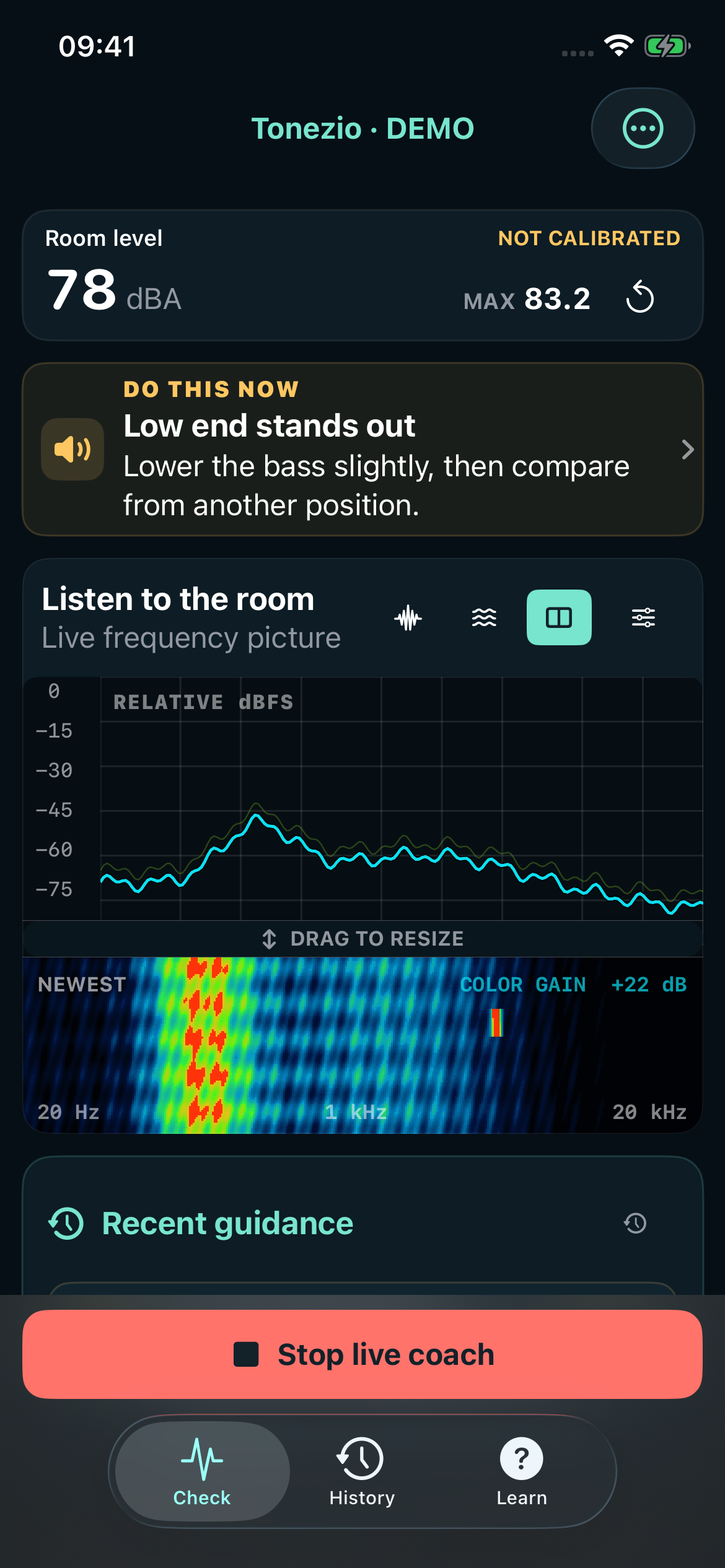
Place the device where you are listening. Start the built-in microphone and watch the frequency balance and estimated level without starting a recording.
Built-in microphones vary. Reference-match the level for more useful comparisons; the calibration status stays visible.
Tonezio Plus
Free is useful right away. Plus turns Tonezio into a soundcheck journal for the church, rehearsal room or small venue you return to: catch a possible problem, remember what you tried and compare the next pass.
See and understand the room now.
Save the evidence. Work through the next check.
All Free features are included in Plus.
| Feature | Free | Plus |
|---|---|---|
| Live RTA, spectrogram and estimated dBA | Included | Included |
| Temporary room-reference overlay | Included | Included |
| Current Coach advice and built-in microphone | Included | Included |
| English, Swedish and example soundcheck | Included | Included |
| Possible-feedback detector with frequency / gain / Q | Not included | Included |
| Saved measurements, spectrum, Coach log and markers | Not included | Included |
| Record another pass and A/B comparison | Not included | Included |
| Save and reuse room references from History | Not included | Included |
| Next-pass plans and soundcheck question buttons | Not included | Included |
| Optional Apple Intelligence on compatible devices | Not included | Included |
| Interactive History, PDF and iCloud storage when available | Not included | Included |
| Compatible USB input, channel and calibration profiles | Not included | Included |
At the desk. Around the room.
Leave the iPad beside the mixer with graphs and Coach in view. Use the same Live / Record workflow on iPhone when you move around the room — then return to the saved pass next week.
On iPad, show Coach and settings together or swipe them away for larger graphs.
Record the pass, save its reference and reopen it from History when you return.
English by default, easy Swedish switching, and explanations alongside the advanced controls.
Before you start
Capture ten stable seconds from the listening position. Tonezio level-matches the saved frequency shape and draws it as a dashed amber line over the cyan live RTA. Compare after one change, or reopen a Plus recording from History when you return to the room. It is a visual reference, not a target curve or automatic EQ.
Use a steady full-range source through the same system you want to compare. Pink noise from your mixer or another source can work, but music with broad, consistent content is also useful. Tonezio measures the source but does not generate it. Keep the microphone, input, calibration, listening position and source level as consistent as possible.
No. The built-in microphone supports live graphs, estimated levels and Coach advice. Plus adds compatible class-compliant USB inputs. Check the connection, power requirements and iOS compatibility of any microphone before buying it.
It corrects frequency response, not absolute sound level. Tonezio keeps frequency correction and level matching separate. Match the selected microphone/channel to a trusted dBA reference. Neither a file nor a USB microphone turns Tonezio into a certified meter.
No. It saves derived measurements, compact spectrum history, time-stamped Coach guidance, possible-feedback events, markers and your notes. Microphone audio is analyzed on the device and discarded.
It can prioritize a next-pass plan and help with questions about saved evidence. It is not the RTA, sound-level calculation or feedback detector, and does not invent EQ measurements or adjust the mixer. Tonezio uses the on-device model only, with no external AI service or per-request AI fee.
You still get immediate built-in summaries, next-pass plans and question-button answers. The optional AI layer needs iOS/iPadOS 26 or later, compatible hardware, Apple Intelligence enabled and an available model supporting the selected language. The AI feature works locally once Apple’s model is available.
No. Tonezio is a practical soundcheck and learning aid. The microphone, calibration, music and room position affect the result. A narrow musical tone can trigger a possible-feedback alert. Check suggestions by ear and make small, reversible adjustments.
Help shape Tonezio
Tell us what worked, what was unclear or what needs fixing. For a bug, include your device and what you tapped.